Edit Intuitively with Z-Image-Edit
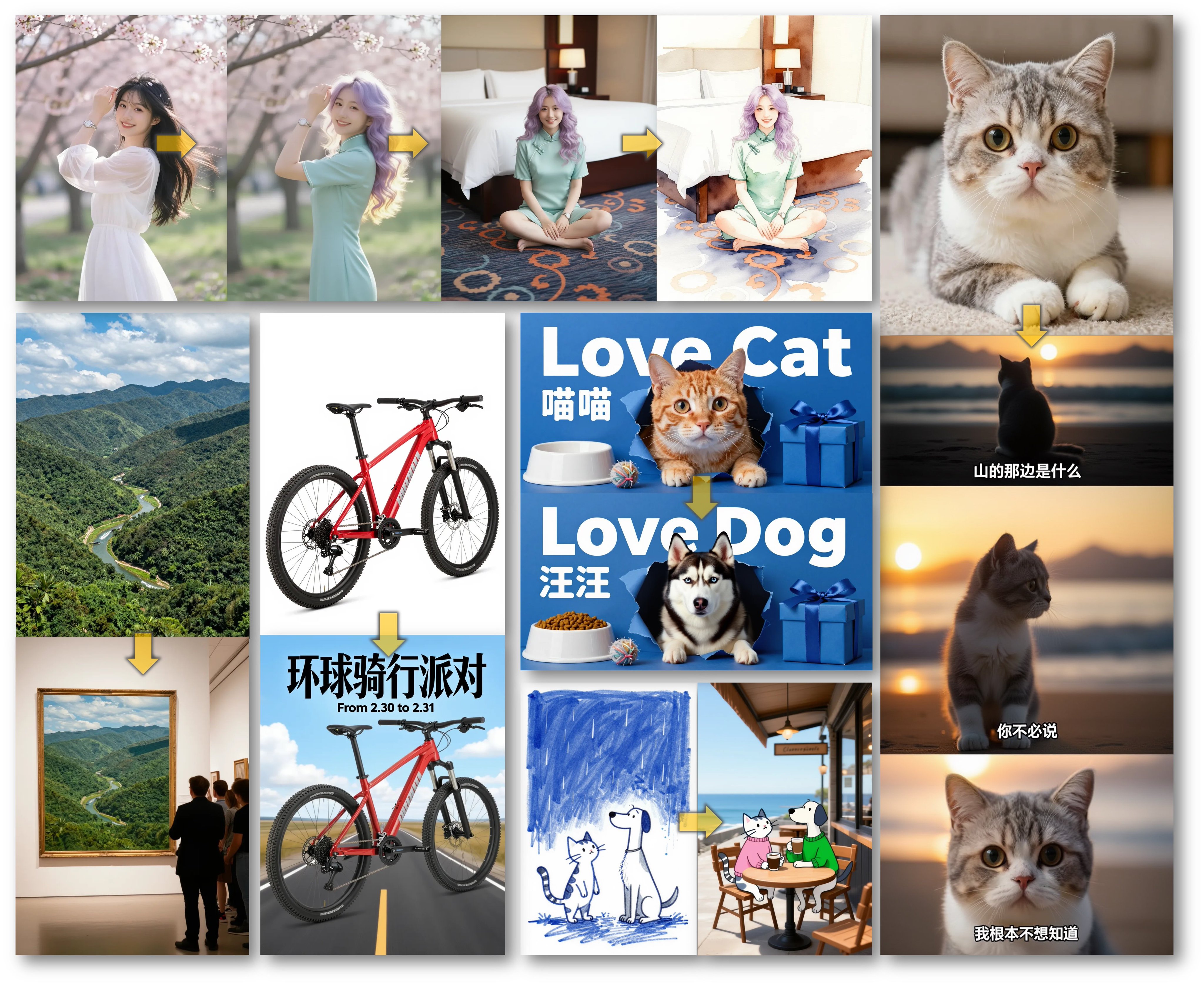
Z-Image-Edit transforms the way you modify images. Forget complex masking tools—simply type instructions. Z-Image-Edit understands context, lighting, and style to deliver seamless edits that look completely natural.
Why Use Z-Image-Edit?
Beyond Traditional Inpainting
Z-Image-Edit transforms the way you modify images. Forget complex masking tools—simply type instructions. Z-Image-Edit understands context, lighting, and style to deliver seamless edits that look completely natural.
- Instruction Following.
- Z-Image-Edit is fine-tuned to execute complex text commands. Tell Z-Image-Edit to 'swap the apple for an orange' and it happens instantly.
- Context Preservation.
- The core strength of Z-Image-Edit is retaining the original image's integrity. It only modifies what you ask, keeping the rest pixel-perfect.
- Style & Object Transfer.
- Use Z-Image-Edit to change artistic styles or replace objects while maintaining the correct perspective and shadows.
Frequently Asked Questions about Z-Image-Edit
- How does Z-Image-Edit differ from standard inpainting?
Standard inpainting often requires manual masks. Z-Image-Edit uses an instruction-following model to automatically detect and modify areas based on your text prompt.
- Can Z-Image-Edit handle complex instructions?
Yes, Z-Image-Edit is trained on a vast dataset of image-instruction pairs, allowing it to understand nuanced requests like 'change the weather to rainy' or 'make the dog look older'.